Introduction
Podcasting and audio content creation have matured into full-scale businesses in 2026. What once required a microphone and basic editing software now demands an integrated workflow spanning recording, editing, publishing, promotion, analytics, and monetization.
The challenge is not a lack of options. It’s the opposite.
Many creators struggle with overlapping subscriptions, disconnected workflows, and constant pressure to adopt new platforms. The right digital tools should simplify production, reduce friction, and scale with your audience—not add complexity.
This guide breaks down the top digital tools for podcasters and audio creators, focusing on practical value, workflow efficiency, and cost awareness.
Evaluation Criteria
Each tool in this list was evaluated using the following criteria:
- Core functionality: Does it solve a real problem for audio creators?
- Ease of use: Can creators adopt it quickly without a steep learning curve?
- Workflow integration: Does it fit into modern content stacks?
- Cost efficiency: Is pricing justified by value delivered?
- Scalability: Can it grow with audience size and production volume?
Top Picks at a Glance
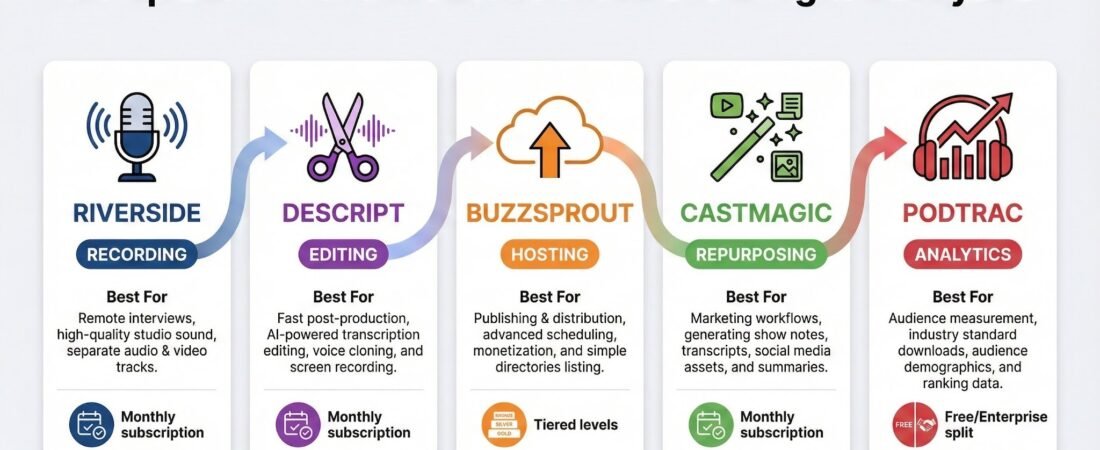
- Best for recording & remote interviews: Riverside
- Best for audio editing: Descript
- Best for podcast hosting: Buzzsprout
- Best for promotion & repurposing: Castmagic
- AI-Powered Podcast Recording & Audio Editing: PodCastle
Detailed Overviews
Riverside – High-Quality Remote Recording
Best for: Podcasters, interview shows, agencies producing client podcasts
Riverside allows podcasters to record studio-quality audio remotely, capturing each participant locally instead of relying on internet quality. This alone eliminates one of the most common problems in remote podcasting.
Key benefits:
- Lossless audio recording
- Separate audio tracks per speaker
- Browser-based (no complex setup)
- Reliable for interviews and panels
Why it stands out:
Riverside prioritizes quality without overcomplicating the workflow, making it ideal for professional and client-facing podcasts.
if remote interviews are part of your workflow.
Descript – Editing Without the Headache
Best for: Solo creators, teams repurposing audio into written content
Descript changes how audio editing works by allowing you to edit audio like a text document. Delete a sentence in the transcript, and the audio updates automatically.
Key benefits:
- Text-based audio editing
- Automatic transcription
- Filler word removal
- Easy collaboration
Why it stands out:
Descript dramatically reduces editing time and opens podcast production to non-technical team members.
Explore Descript for faster podcast editing and repurposing.
Buzzsprout – Simple, Reliable Podcast Hosting
Best for: Beginners and growing podcasters
Buzzsprout handles podcast hosting, distribution, and basic analytics in a clean, user-friendly interface.
Key benefits:
- Easy episode publishing
- Automatic distribution to major platforms
- Clear listener analytics
- Predictable pricing
Why it stands out:
It removes technical friction and lets creators focus on content rather than infrastructure.
Use Buzzsprout to launch and manage your podcast with ease.
Castmagic – Turn Audio Into Assets
Best for: Content marketers and repurposing-focused creators
Castmagic transforms podcast episodes into show notes, summaries, social captions, and blog-ready content using AI.
Key benefits:
- Automated content generation
- Time-saving repurposing
- Useful for SEO and social distribution
- Supports team workflows
Why it stands out:
It bridges the gap between audio creation and content marketing.
Try Castmagic to extend the life of every episode.
Podtrac – Podcast Analytics & Measurement
Best for: Established podcasts tracking growth
Podtrac provides independent measurement and audience insights, helping creators understand reach and listener behavior.
Key benefits:
- Industry-standard analytics
- Audience growth tracking
- Useful for sponsorship discussions
Why it stands out:
It adds credibility and data transparency for serious podcasters.
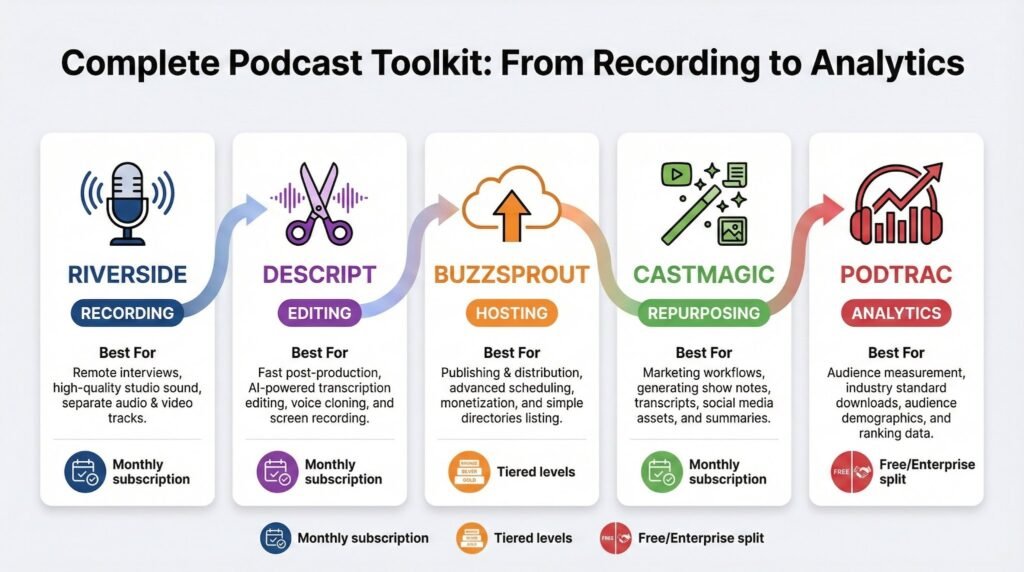
Comparison Table
| Tool | Primary Use | Best For | Pricing Model |
| Riverside | Recording | Remote interviews | Subscription |
| Descript | Editing | Fast post-production | Subscription |
| Buzzsprout | Hosting | Publishing & distribution | Tiered |
| Castmagic | Repurposing | Marketing workflows | Subscription |
| Podtrac | Analytics | Audience measurement | Free / Enterprise |
Buying Guide: How to Choose the Right Tools
Before subscribing to anything, clarify the following:
1. Production Style
Solo podcast, interview-based, or agency production? Your setup determines tool complexity.
2. Repurposing Needs
If your podcast feeds blogs, newsletters, or social media, prioritize tools that automate content reuse.
3. Budget Control
Avoid stacking subscriptions with overlapping features. One well-chosen tool often replaces two mediocre ones.
4. Growth Goals
Early-stage creators need simplicity. Scaling podcasts benefit more from analytics and automation.
Update:
Before rounding up, let me mention about the new AI-Powered Podcast Recording & Audio Editing: PodCastle.
is an AI-powered platform built to simplify podcast recording, audio editing, and sound enhancement without requiring advanced technical skills. It combines remote recording, AI voice enhancement, background noise removal, and text-based audio editing into a single workflow.
PodCastle is particularly useful for podcasters and audio creators who want consistent, professional-quality sound while reducing post-production time. It works well for solo shows, interview-based podcasts, and creators producing content for multiple platforms.
Rather than focusing on manual audio engineering, PodCastle emphasizes speed, clarity, and automation, making it a practical option for creators who want efficient podcast production without complex setups.
Final Thoughts
There is no single “perfect” stack for podcasters. The best results come from choosing tools that reduce friction, not add features for the sake of novelty.
The most successful audio creators treat their toolset as an evolving system—lean at the beginning, more automated as audience and revenue grow.
Choose intentionally, review regularly, and prioritize workflows that keep you creating consistently.
To explore more digital tools for other content creators, I encourage you to read further: Best Digital Tools Options or visit our blog page for more articles.
Please feel free to share your comments or share this post. You can contact us for consulting services and more.
Frequently Asked Questions
What digital tools do podcasters really need?
At minimum, podcasters need tools for recording, editing, hosting, and basic analytics. Additional tools depend on promotion and repurposing needs.
Are paid podcast tools worth it?
Paid tools are often worth it when they save time, improve quality, or reduce manual work. The key is avoiding overlapping subscriptions.
What is the best tool for beginner podcasters?
Beginner podcasters often benefit most from simple hosting platforms and easy-to-use editing tools with minimal setup.
Can one tool replace multiple podcast tools?
Some tools combine features, but most podcasters still use a small stack rather than a single all-in-one solution.
How often should podcasters review their tools?
Review your tool stack every 6–12 months to ensure it still fits your workflow and audience size.