Introduction
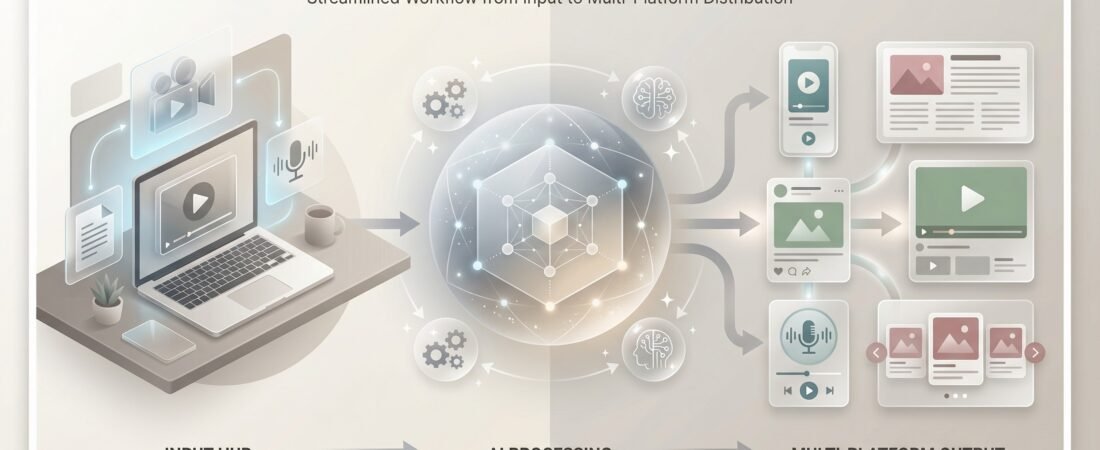
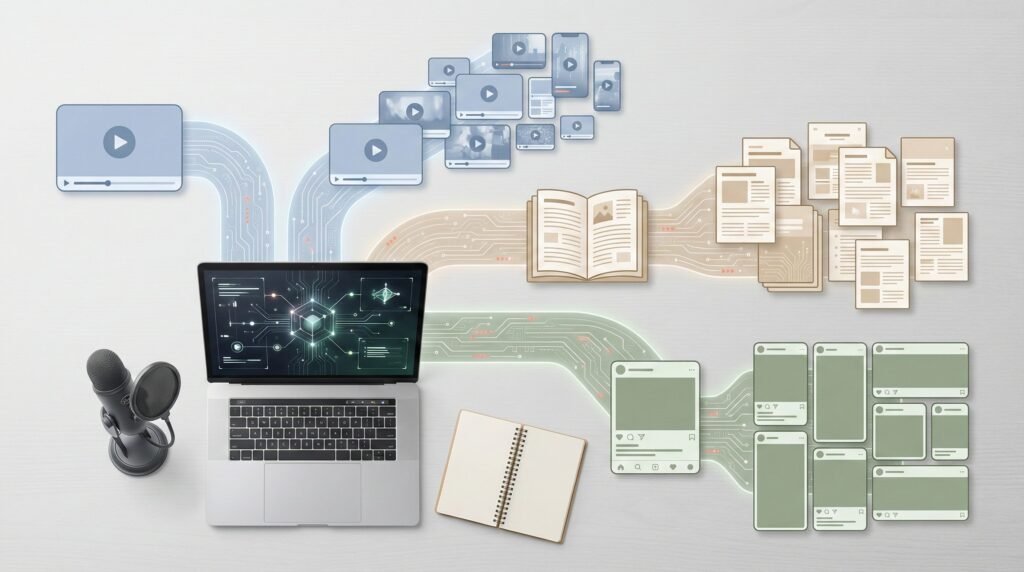
Most creators don’t have a content problem. They only have a distribution bottleneck. One strong podcast, YouTube video, or long-form blog post can fuel weeks of Shorts, Threads, LinkedIn carousels, quote graphics, and emails — if it’s repurposed correctly.
Let’s dive in after the content list or you may choose which section that interest you most.
Table of Contents
This guide focuses only on tools that hold up in real workflows for creators, marketers, coaches, YouTubers, and podcasters.
Most creators don’t have a content problem. They only have a distribution bottleneck. One strong podcast, YouTube video, or long-form blog post can fuel weeks of Shorts, Threads, LinkedIn carousels, quote graphics, and emails — if it’s repurposed correctly. But manually cutting clips, rewriting captions, resizing visuals, and adapting tone for every platform is where consistency dies. In 2026, AI repurposing tools remove that friction — without stripping your voice.
Industry research from HubSpot State of Marketing Reports and Buffer consistently shows that multi-format distribution significantly increases reach and engagement across platforms.
If you’re exploring your options, you can browse the full AI Tools Hub for a broader comparison of categories.
Why Content Repurposing Is a Growth Multiplier
Repurposing isn’t about doing more work — it’s about extracting more value from work you’ve already done.
A single long-form asset can realistically become:
- 10–15 short-form videos
- 5–10 Threads or X posts
- 2–4 LinkedIn or Instagram carousels
- Quote graphics and email segments
Done properly, this leads to:
- 5–10 times more reach
- Better engagement across platforms
- Stronger authority through repetition
- Less creator burnout
The key is using tools that reduce effort without producing generic content.
What a Good AI Repurposing Tool Must Do
Before choosing any tool, make sure it does four things well:
- Context awareness
Understands meaning, not just timestamps or sentence length. - Platform-specific formatting
Shorts ≠ Threads ≠ carousels. - Minimal editing required
Outputs should be close to publish-ready. - Multi-format support
Video → clips, audio → text, text → visuals.
If a tool still needs heavy rewriting, it’s not saving time — it’s shifting work.
If you’re not sure which tool fits your workflow, the Personalized Digital Tool Selector can suggest options based on your content style.
Best AI Tools for Content Repurposing (By Use Case)
Best for Short-Form Video (Shorts, Reels, TikTok)
Opus Clip
Opus Clip is the most reliable tool for turning long videos into high-quality Shorts.
It:
- Detects engaging moments automatically
- Reframes clips for vertical formats
- Adds animated captions
- Scores clips by predicted performance
From one hour of video, you can realistically get 10–15 usable clips.
Best for: Podcasters and YouTubers
Setup: Very fast
Why it wins: Best balance of quality + speed
Best for Audio → Text Repurposing (Threads, Summaries, Blogs)
Castmagic
Castmagic excels at turning spoken content into written assets.
Upload a podcast or video and it generates:
- Threads and X posts
- Summaries and quotes
- Blog drafts and email copy
It’s especially strong for creators who think better out loud than on a keyboard.
Best for: Podcasters, educators, thought leaders
Strength: Depth and flexibility across formats
Visit this article below for a detailed information on:
Effective Podcast and Audio Recording: Digital Tools & Devices Guide 2026
Best for Carousels and Visual Posts
Canva (AI features)
Canva isn’t marketed as a repurposing tool, but its AI features make it excellent for carousels.
Paste key points from a blog or transcript and quickly generate:
- LinkedIn carousels
- Instagram swipe posts
- Branded visuals
Best for: Visual creators, beginners, teams
Why it works: Speed + brand control
(Gamma is a strong alternative for text-to-slides.)
Best All-in-One Automation Tool
Repurpose.io
Repurpose.io focuses on distribution automation, not creative intelligence.
Once configured, it automatically reformats and publishes content across platforms based on rules you define.
Best for: Established creators with repeatable workflows
Trade-off: Less creative control, more automation
How to Choose Based on Your Content Stack
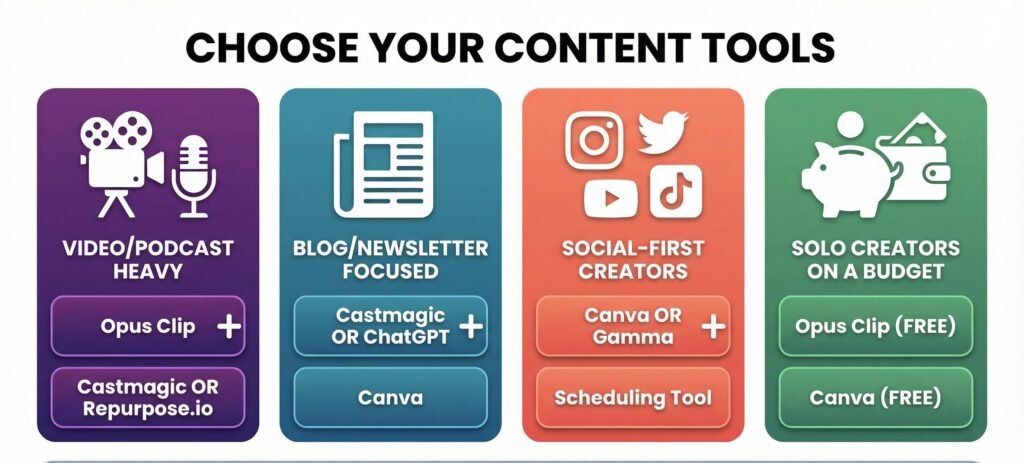
Use this rule of thumb:
- Video / podcast heavy
Opus Clip + Castmagic or Repurpose.io - Blog / newsletter focused
Castmagic or ChatGPT + Canva - Social-first creators
Canva or Gamma + scheduling tool - Solo creators on a budget
Free tiers of Opus Clip and Canva
Most creators don’t need more than two tools:
- One for extraction (video/audio)
- One for formatting (text/visual)
A Simple Repurposing Workflow That Works
- Create one long-form asset.
- Upload to Opus Clip → generate Shorts.
- Send transcript to Castmagic → Threads and summaries.
- Turn key points into a carousel in Canva.
- Schedule or post manually.
One recording → a full week (or more) of content.
Final Thoughts
AI repurposing works when you:
- Let AI handle the repetitive work
- Keep human oversight on hooks and tone
- Stay consistent instead of chasing platforms
Start with one tool. Test it on your best content.
If it saves time and preserves your voice, keep it.
Your next surge in reach is probably hiding inside content you already published.
You can explore more workflows and platform comparisons inside the Customized Digital Tool Resource Finder whenever you’re ready. You are also welcome to visit our Home Page to learn more About Us.
Frequently Asked Questions
What is content repurposing?
Content repurposing is the process of turning one piece of content, such as a podcast, video, or blog post, into multiple formats like Shorts, Threads, carousels, or email content.
Which AI tool is best for turning long videos into Shorts?
Opus Clip is one of the most reliable tools for converting long videos into short-form content. It detects engaging moments, adds captions, and formats clips for vertical platforms.
What tool is best for turning podcasts into written content?
Castmagic is designed for converting audio or video into written assets like Threads, summaries, blog drafts, and email content with minimal manual editing.
Do I need multiple tools for content repurposing?
Most creators only need two tools: one for extracting content from video or audio, and another for formatting it into text or visuals for different platforms.
Can beginners use AI repurposing tools?
Yes. Tools like Canva and Opus Clip offer simple interfaces and free tiers, making them accessible for solo creators and beginners.
Is AI content repurposing better than manual editing?
AI repurposing is faster and more consistent for routine tasks like clipping, captioning, and formatting. Human oversight is still important for tone, hooks, and final edits.