
Table of Contents
Introduction
AI-powered software is no longer optional. It has quietly become part of everyday workflows across marketing, design, development, and content creation.
Yet for many beginners, adopting AI tools creates a new problem: too many tools, too many subscriptions, and no clear system.
This guide is not about chasing the latest AI feature. It’s about learning how to use AI-powered digital tools effectively—with intention, control, and measurable outcomes—without turning your workflow into chaos.
Understanding the Basics of AI-Powered Digital Tools
AI-powered tools use machine learning and automation to assist with tasks that previously required manual effort. Common applications include:
- Content drafting and editing
- Design and asset generation
- Workflow automation
- Data analysis and reporting
- Customer communication
The value of AI is not speed alone. It’s decision support—helping you reduce friction and focus energy where it matters most.
Key Considerations Before Choosing AI Tools
1. Start With the Problem, Not the Tool
Many beginners subscribe to tools first and look for use cases later. This reverses the logic.
Instead, identify:
- What task consumes the most time?
- What task repeats frequently?
- Where are errors or delays common?
AI should remove friction, not introduce it.
2. Avoid Subscription Stacking
AI tools often overlap. One platform may replace three smaller tools.
Before subscribing, ask:
- Does this tool replace something I already use?
- Will I realistically use it weekly?
- Is there a clear ROI?
This discipline alone saves hundreds of dollars annually.
3. Integration Matters More Than Features
A powerful tool that doesn’t integrate into your workflow creates more work.
Prioritize tools that:
- Connect with existing platforms
- Export usable outputs
- Reduce manual handoffs
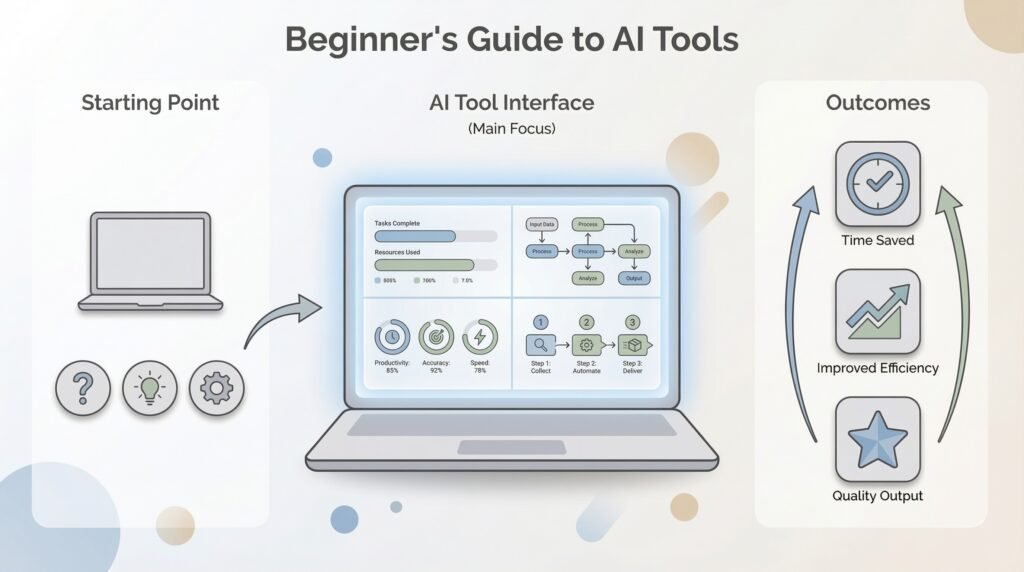
Common mistakes in AI adoption
Letting tools dictate the workflow
When teams adapt their processes to match a tool’s features, complexity increases and clarity decreases.
Using AI without shared standards
Without templates, glossaries, or prompt libraries, outputs become inconsistent.
Skipping human review
AI-generated content can contain factual errors, weak positioning, or tone mismatches if not reviewed.
Overloading the tech stack
Multiple overlapping tools create confusion and unnecessary costs.
Step-by-Step Guide to Using AI Tools Effectively
Step 1: Map Your Core Workflow
Document your current process:
- Idea → execution → delivery
- Identify manual steps
- Note where bottlenecks occur
This becomes your AI roadmap.
Step 2: Choose One AI Tool Per Function
Avoid tool sprawl by limiting adoption:
- One writing assistant
- One automation platform
- One analytics or optimization tool
Depth beats breadth.
Start with one well-integrated AI platform rather than multiple niche tools.
Find the Right AI Tool for Your Workflow
Select your primary goal to discover which AI tool type fits your needs
Step 3: Set Clear Usage Rules
Define:
- What AI assists with
- What remains human-led
- Quality checks required
This prevents over-reliance and maintains output quality.
Step 4: Measure Outcomes, Not Usage
Success is not “using AI daily.”
Success is:
- Time saved
- Errors reduced
- Output improved
- Revenue supported
Review results monthly.
Expert Tips for Long-Term Success
- Use AI to augment thinking, not replace it
- Maintain a human review layer
- Reassess tools quarterly
- Cancel tools that don’t earn their keep
Platforms that combine multiple AI functions often outperform fragmented tool stacks.
Common Mistakes Beginners Make
Over-Automating Too Early
Automation without understanding creates fragile systems.
Chasing New Releases
New features don’t equal better workflows.
Ignoring Data Ownership
Always know where your data goes and how outputs are stored.
Expecting AI to Fix Strategy
AI accelerates execution—but it cannot replace clarity.
Key takeaways for marketing teams
- AI adoption should start with workflow design, not tool selection.
- Structured frameworks produce more consistent outputs.
- AI works best as a drafting assistant, not a strategic decision-maker.
- Shared templates and prompts reduce editing time.
- Human review remains essential for accuracy and credibility.
Conclusion
AI-powered tools are most effective when used deliberately, not impulsively.
Beginners who succeed don’t use more tools.
They use fewer tools, better.Start small. Build systems. Measure outcomes.
That’s how AI becomes leverage—not noise.
What are AI-powered digital tools?
AI-powered digital tools are software applications that use artificial intelligence to assist with tasks such as writing, summarizing, research, automation, data analysis, and content generation. They help reduce repetitive work while improving speed and efficiency.
Do I need technical skills to start using AI tools?
No. Most modern AI tools are beginner-friendly and require no coding experience. The key skill is learning how to structure prompts clearly and define the outcome you want the tool to produce.
What are common mistakes beginners make when using AI?
Common mistakes include vague prompts, over-reliance on AI without review, skipping fact-checking, and using multiple tools without a structured workflow. Clear instructions and human validation improve results significantly.
Can AI replace human decision-making?
No. AI tools assist with drafting, organizing, and analyzing information, but strategic thinking, positioning, and final judgment should remain human-led.
What should I learn before trying to make money with AI?
Before focusing on monetization, beginners should first understand structured AI usage, prompt design, and workflow integration. Mastering these fundamentals makes advanced AI marketing systems and income models easier to implement successfully.
Feel free to check out some more related articles and guides on our AI Tools Hub